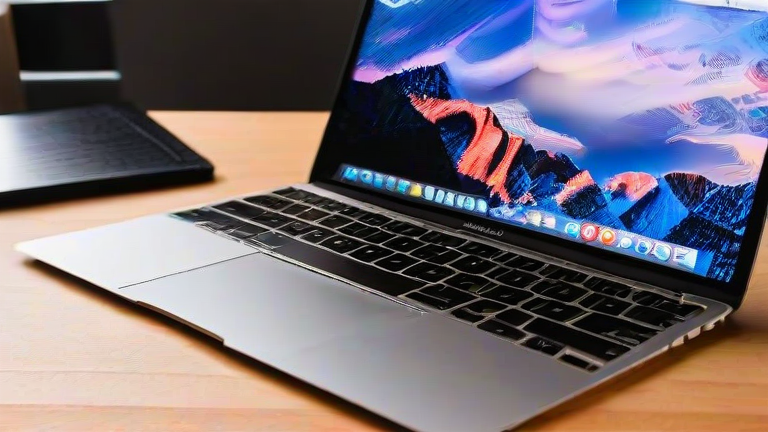
TL;DR: The MacBook Air M2 hides a surprising set of capabilities beyond its fanless design and 18-hour battery, from dual-monitor workarounds to pro-grade audio tricks. This guide unpacks seven underused features—plus the latest specs and industry context—so you can extract more from Apple’s best-selling laptop.
Apple’s M2 MacBook Air arrived as a redesign milestone: a 13.6-inch Liquid Retina display at 500 nits, a 1080p FaceTime camera, MagSafe charging, and the 8-core CPU/10-core GPU M2 chip built on second-generation 5nm process. With up to 24GB of unified memory and 2TB of storage, it remains the volume leader in the premium thin-and-light segment—and the machine most Windows ultrabook makers benchmark against.
If you want to dig deeper, check out our guide on **10 Daily Habits That Will Transform Your Lifestyle**.
1. Closed-Display Mode Without a Dock
Connect power and an external monitor, then close the lid: the Air M2 runs clamshell without third-party software, turning it into a compact desktop brain. Pair it with a Bluetooth keyboard and the 1080p webcam still works on external displays.
2. Dual External Displays via DisplayLink
The M2 Air natively supports one external display at up to 6K. A DisplayLink adapter or dock bypasses that limit through software compression—imperfect for color-critical work, but excellent for dashboards and spreadsheets.
3. The Hidden High-Impedance Headphone Amp
The 3.5mm jack auto-senses impedance and drives headphones up to 150 ohms—rare in a fanless laptop—making the Air a credible portable listening rig.
4. Voice Isolation and Wide Spectrum Mics
In Control Center’s Mic Mode, Voice Isolation strips background noise for calls, while Wide Spectrum captures room audio for interviews—no external mic required.
5. Quick Note and Hot Corners
Hot Corners trigger Quick Note, Launchpad, or Mission Control with a cursor flick, and the three-finger Quick Note gesture captures links and timestamps instantly.
6. Optimized Battery Charging Insights
System Settings reveals charging history and limits top-ups to 80% for desk-bound users, extending battery lifespan—a detail most owners never open.
7. Live Text and Visual Look Up Everywhere
Select text in photos, PDFs, or paused video frames, then translate or lift subjects with a click—Spotlight-grade intelligence baked into the OS.
Industry impact: the Air M2’s fanless efficiency pushed rivals toward on-package memory and AI-accelerated NPUs, and its price-to-performance ratio keeps pressure on the $1,000–$1,300 segment. Recent macOS updates continue adding features to this hardware, proving longevity is part of the spec sheet.
FAQ
Q: Does the M2 Air support two external monitors?
A: Not natively—it supports one display up to 6K; a DisplayLink adapter enables a second.
Q: Is 8GB of unified memory enough?
A: For browsing and office work, yes; for heavy multitasking or creative apps, 16GB is the safer floor.
Q: Can I use the Air M2 closed with an external display?
A: Yes, with power connected it enters clamshell mode and drives an external monitor without extra software.
Leave a Reply