Blog

  • Creator Economy Meets Enterprise: The New Tool Era

    TL;DR: The integration of creator economy tools into enterprise workflows is driving a new era of digital productivity that demands specific ergonomic and mental health adaptations. Professionals must actively manage screen time, posture, and cognitive load to prevent burnout while leveraging these high-efficiency platforms.

    The Convergence of Content and Corporate

    The modern workplace is undergoing a seismic shift as the creator economy merges with traditional enterprise structures. Companies are no longer just consumers of content but active producers, utilizing sophisticated software suites for video editing, digital marketing, and real-time collaboration. This convergence creates a high-stakes environment where digital fluency is not just an asset but a requirement. However, this rapid technological adoption often outpaces human physiological limits, leading to increased sedentary behavior, eye strain, and cognitive fatigue. Understanding how to navigate this new tool era without sacrificing health is critical for long-term sustainability and professional success in the digital age.

    If you want to dig deeper, check out our guide on Repair Culture Reshapes Fast Fashion Economics: New Data.

    Ergonomics for the Digital Creator-Professional

    Spending extended hours in front of multiple screens to manage content pipelines and enterprise dashboards places immense stress on the musculoskeletal system. Research from the American College of Occupational and Environmental Medicine emphasizes the importance of neutral spine alignment. Users should adjust their monitors so the top of the screen is at or slightly below eye level. This reduces neck flexion and prevents “tech neck,” a common condition among digital workers. Furthermore, implementing the 20-20-20 rule is essential for ocular health. Every 20 minutes, look at something 20 feet away for at least 20 seconds. This simple practice helps mitigate digital eye strain, which is caused by reduced blink rates and prolonged focal distance required by high-resolution editing tools and data visualization software.

    Cognitive Load and Mental Resilience

    The constant switching between creative brainstorming and analytical enterprise reporting creates significant cognitive load. Neuroscientific studies indicate that multitasking reduces efficiency and increases error rates. To counteract this, professionals should adopt single-tasking blocks for deep work. Using techniques like the Pomodoro method, where you focus intensely for 25 minutes followed by a five-minute break, can help maintain neural plasticity and prevent mental exhaustion. Additionally, mindfulness practices have been shown to lower cortisol levels, which are often elevated in high-pressure digital environments. Taking micro-breaks to practice box breathing or simply stepping away from the workstation to engage in light physical activity can reset the nervous system and improve focus upon return.

    Lifestyle Adjustments for Hybrid Digital Roles

    As the lines between work and personal life blur with always-on creator tools, maintaining boundaries is vital for mental health. Establishing a dedicated workspace that is physically separate from living areas can help signal to the brain when work hours end. Nutrition also plays a pivotal role in sustaining high cognitive performance. Diets rich in omega-3 fatty acids, found in fish and walnuts, support brain function, while adequate hydration prevents the fatigue often mistaken for lack of motivation. Sleep hygiene must be prioritized; blue light emitted by screens used for late-night content creation can disrupt circadian rhythms. Using blue-light filters or glasses in the evening can help preserve melatonin production, ensuring restorative sleep that is crucial for cognitive recovery and emotional stability.

    FAQ

    Q: How can I reduce eye strain while using enterprise creator tools?
    A: Implement the 20-20-20 rule, adjust screen brightness to match ambient light, and use artificial tears to keep eyes moist during long sessions.

    Q: What is the best posture for long video editing sessions?
    A: Sit with your feet flat on the floor, back supported by the chair, and elbows at a 90-degree angle to maintain neutral spinal alignment.

    Q: How do I prevent burnout from the constant content creation cycle?
    A: Set strict work boundaries, use single-tasking techniques to reduce cognitive load, and engage in daily mindfulness or physical exercise to lower stress hormones.
    Related Articles

  • 10 Simple Lifestyle Habits for Better Health & Happiness

    TL;DR: Better health and happiness rarely come from drastic overhauls — they grow from small, repeatable habits like moving daily, eating real food, and protecting your sleep. This article shares ten simple, travel- and food-friendly habits you can start today, no matter where you live.

    We often imagine that a healthier, happier life requires a complete reinvention: a new city, a new job, a new diet. But ask anyone who has traveled widely or rebuilt their routines from scratch, and they’ll tell you something quieter. Change sticks when it’s small enough to survive a busy Tuesday.

    If you want to dig deeper, check out our guide on Shopify Store Setup: 7 Essential Apps for Your First $1.

    1. Walk Like a Local

    In Tokyo, Lisbon, or Mexico City, the best discoveries happen on foot. A daily 20-minute walk lowers stress, aids digestion, and connects you to your neighborhood. Skip the shortcut and take the scenic route home.

    2. Eat One Meal Mindfully

    Choose one meal a day to eat without screens. Notice the textures, spices, and origins of your food. Cultures from Italy to Vietnam treat meals as social rituals, not refueling stops — borrow that wisdom.

    3. Cook Something From Another Culture

    Learning a new dish, whether Thai curry or Moroccan tagine, builds curiosity and confidence. Cooking is also linked to better nutrition and less food waste.

    4. Protect Your Sleep Like a Passport

    No trip runs smoothly on no sleep. Keep a consistent bedtime, dim screens an hour before, and treat rest as non-negotiable. Your mood, memory, and immune system will thank you.

    5. Keep a Tiny Gratitude Note

    Each evening, write one sentence about something good. Travelers often do this instinctively — a kind stranger, a stunning view. It rewires attention toward what’s working.

    6. Move Your Body in Ways You Enjoy

    Dancing, cycling, swimming, hiking — joy beats obligation. The best exercise is the one you’ll actually repeat next week.

    7. Drink More Water, Especially Abroad

    Hydration sharpens focus and energy. Carry a bottle, and when traveling, embrace local teas and infused waters.

    8. Schedule Real Connection

    Loneliness harms health as much as smoking. Call a friend, share a meal, join a class. Relationships are the oldest wellness technology we have.

    9. Spend Time in Green Spaces

    Parks, gardens, and forests reduce cortisol and boost creativity. Even ten minutes among trees counts.

    10. Learn One New Thing Weekly

    A phrase in another language, a historical fact, a card trick — lifelong learning keeps the mind flexible and life interesting.

    FAQ

    Q: How long before these habits make a difference?
    A: Most people notice better mood and energy within one to two weeks, though deeper benefits like improved fitness or sleep quality build over a few months of consistency.

    Q: Do I need to do all ten habits at once?
    A: No. Pick one or two that feel easiest, practice them for a week, then add another. Stacking habits gradually makes them far more likely to stick.

    Q: Can these habits work while traveling?
    A: Absolutely. Walking, hydrating, mindful meals, and gratitude notes are travel-friendly by design — they often feel even more natural when you’re exploring somewhere new.

    Related Articles

  • Quantum-Safe Encryption: Why It’s Now a Boardroom Priority

    TL;DR: Quantum computers will soon break the RSA and ECC encryption protecting your medical records, wearables, and telehealth platforms, making “harvest now, decrypt later” attacks a present-day threat. Boards must prioritize quantum-safe encryption now to safeguard patient data, regulatory compliance, and long-term organizational resilience.

    Why Your Health Data Is Already at Risk

    Cybercriminals are currently stealing encrypted health records to decrypt them once quantum computers mature—a strategy called “harvest now, decrypt later.” Since medical data has a long shelf life, stolen information remains sensitive for decades. The National Institute of Standards and Technology (NIST) finalized post-quantum cryptographic standards in 2024, giving organizations a clear migration path. Ignoring this shift isn’t just a tech oversight; it’s a governance failure with legal and ethical consequences.

    If you want to dig deeper, check out our guide on Why Gen Z Is Trading Sneakers for Sustainable Leather Boots.

    Science-Backed Steps for Leaders

    Start with a cryptographic inventory: identify where encryption protects electronic health records, IoMT devices, and cloud backups. Prioritize “crypto-agility”—systems that can swap algorithms without re-engineering. The Cloud Security Alliance recommends a phased migration over 3–5 years, beginning with high-value data. Budget for training, because human error causes 74% of breaches (Verizon DBIR).

    Lifestyle Tips for Everyday Protection

    While boards handle infrastructure, individuals can reduce exposure. Use multi-factor authentication on health portals, update wearables promptly, and avoid public Wi-Fi for telehealth visits. Practice “digital hygiene”: review app permissions monthly and opt out of data sharing where possible. These habits complement—not replace—systemic encryption upgrades.

    FAQ

    Q: Is quantum-safe encryption only for large hospitals?
    A: No. Any organization storing sensitive health data—clinics, insurers, fitness apps—faces the same regulatory and reputational risks.

    Q: Will this disrupt patient care?
    A: When planned with crypto-agility, migration is invisible to users. Pilot programs show no workflow slowdown.

    Q: How soon is “soon” for quantum threats?
    A: Experts estimate 10–15 years for a cryptographically relevant quantum computer, but migration takes 5+ years. Starting now is prudent, not paranoid.

    Related Articles

  • **Edge Computing Hubs Cut Latency for Autonomous Vehicles** *(60 characters)*

    **Edge Computing Hubs Cut Latency for Autonomous Vehicles**

    TL;DR: Edge computing hubs significantly reduce data transmission delays by processing critical vehicle sensor data locally rather than relying on distant cloud servers. This architectural shift enables autonomous vehicles to make split-second decisions, enhancing safety and operational efficiency in dynamic traffic environments.

    Market Analysis: The Shift to Local Processing

    The global market for edge computing in the automotive sector is experiencing exponential growth, driven by the urgent need for real-time data processing. Traditional cloud-based architectures suffer from inherent latency, often ranging between 50 and 100 milliseconds, which is too slow for autonomous systems navigating complex urban landscapes. As Level 4 and Level 5 autonomous vehicles approach commercial deployment, the demand for sub-millisecond response times has become the primary driver for infrastructure investment. Analysts project that the edge computing market for transportation will surpass several billion dollars in the coming decade, fueled by the integration of 5G networks and advanced AI chips directly into vehicle fleets. This shift represents a fundamental change in how data sovereignty and real-time control are managed, moving the computational burden from centralized data centers to distributed nodes located within city blocks.

    Strategy Insights: Architecting Low-Latency Networks

    For automotive manufacturers and technology providers, the strategic imperative is to decouple data processing from data storage. Companies must adopt a hybrid approach where critical safety data is processed at the edge, while non-critical data, such as long-term fleet analytics, is sent to the cloud. Strategy insights suggest that investing in specialized edge hardware, such as FPGAs and high-performance AI accelerators, is more cost-effective in the long run than relying solely on raw computing power in the central cloud. Furthermore, partnerships with telecommunications providers are essential to ensure reliable low-latency connectivity. Businesses should focus on creating resilient edge hubs that can operate autonomously even if the connection to the central cloud is temporarily lost, ensuring that vehicle safety functions remain uninterrupted during network fluctuations.

    Case Studies: Real-World Implementation

    A leading autonomous trucking company recently deployed edge computing hubs at major logistics hubs to optimize route planning in real-time. By processing traffic data locally, they reduced decision latency by 40%, resulting in a 15% improvement in fuel efficiency across their fleet. Similarly, a major tech giant partnered with a city government to install edge nodes at traffic intersections. These nodes analyzed video feeds from multiple cameras to coordinate autonomous vehicle movements, reducing congestion and accident rates in the pilot zone. These case studies demonstrate that edge computing is not merely a technological upgrade but a critical operational necessity for the successful scaling of autonomous transportation networks.

    FAQ

    Q: Why is cloud computing insufficient for autonomous vehicles?
    A: Cloud computing introduces significant latency due to the physical distance data must travel to distant servers and back, which is too slow for the immediate reaction times required in dynamic driving scenarios.

    If you want to dig deeper, check out our guide on Why Gen Z Is Trading Sneakers for Sustainable Leather Boots.

    Q: What are the primary security risks of edge computing?
    A: Distributing processing power across many physical hubs increases the attack surface, requiring robust local security protocols and encryption to prevent data breaches or manipulation at the point of processing.

    Q: How does 5G technology complement edge computing?
    A: 5G provides the high bandwidth and ultra-low latency necessary to synchronize data between vehicles and nearby edge hubs, ensuring that the distributed network operates as a cohesive, real-time system.

    Related Articles

  • Top 5 Features to Check Before Buying a 4K OLED Monitor

    TL;DR: Prioritize 240Hz refresh rates, DisplayPort 2.1, and third-gen QD-OLED panels to avoid buyer’s remorse. Also verify true 10-bit color, anti-burn-in warranties, and proper HDR certification before committing.

    The 4K OLED monitor market has shifted dramatically in 2025. What was once a niche luxury has become a fierce battleground between LG Display’s WOLED and Samsung Display’s QD-OLED. With prices falling and panel tech maturing, buying the wrong spec sheet is easier than ever. Here are the five features that separate a future-proof purchase from an instant regret.

    If you want to dig deeper, check out our guide on Quantum-Safe Encryption: The Mainstream Shift.

    1. Refresh Rate and Response Time

    4K at 60Hz is dead for gaming. The latest 27-inch and 32-inch OLEDs now hit 240Hz natively, with some 27-inch 1440p models pushing 480Hz. For 4K, 240Hz is the new gold standard. Check for a 0.03ms GtG response time and support for both AMD FreeSync Premium Pro and NVIDIA G-Sync Compatible. If a monitor caps at 120Hz, it is already a generation behind.

    2. DisplayPort 2.1 and HDMI 2.1

    Bandwidth is the silent killer. DisplayPort 1.4 with DSC can technically handle 4K 240Hz, but it introduces compression artifacts. DisplayPort 2.1 (UHBR 20) delivers 80Gbps, enabling uncompressed 4K 240Hz HDR. HDMI 2.1 remains essential for console players wanting 4K 120Hz VRR. Lack of DP 2.1 is a dealbreaker for PC enthusiasts.

    3. Panel Generation: QD-OLED vs. WOLED

    Samsung’s third-gen QD-OLED (2024-2025) offers higher color volume and no white subpixel dilution, while LG’s latest WOLED with MLA+ boosts brightness to 1,300 nits in a 3% window. Check for a “Gen 3” or “MLA+” designation. Older panels suffer from aggressive ABL (Automatic Brightness Limiter) that dims full-screen content.

    4. HDR Certification and Color Accuracy

    VESA DisplayHDR True Black 400 is the minimum; True Black 500 or 600 is better. Look for 99% DCI-P3 coverage and Delta E < 2 factory calibration. Without these, HDR looks washed out and SDR content appears oversaturated.

    5. Burn-in Warranty and Pixel Refresh

    OLED burn-in is real, but modern panels include heatsinks and compensation cycles. A 3-year burn-in warranty is now standard from reputable brands. Avoid any monitor that lacks a dedicated pixel refresh function or a heatsink.

    FAQ

    Q: Is 4K OLED worth it over 1440p OLED?
    A: Yes, if you have a GPU that can drive 4K at high refresh rates. For competitive esports, 1440p at 480Hz remains superior.

    Q: Do I need DisplayPort 2.1 for 4K 240Hz?
    A: Not strictly, but without it you rely on DSC compression, which can cause rare visual artifacts. DP 2.1 is future-proof.

    Q: How long until burn-in appears?
    A: With mixed usage and pixel refresh, most users see no burn-in for 3-5 years. Static taskbars for 8+ hours daily can accelerate it.

    Related Articles

  • Sleep Optimization: The New Luxury Status Symbol

    TL;DR: Sleep optimization is the new luxury status symbol because achieving eight hours of high-quality, uninterrupted rest requires a meticulously curated environment and a disciplined lifestyle that few can maintain. It signals not just wealth, but the ultimate privilege of having control over one’s biological rhythm and energy levels in a chaotic world.

    Step 1: Engineer Your Sanctuary

    Begin by transforming your bedroom into a sensory-deprivation zone. Luxury is no longer about gold fixtures; it is about the absence of stimuli. Invest in blackout curtains that eliminate ninety-nine percent of light, a white noise machine set to a consistent frequency, and a mattress that supports your specific spinal alignment. The air quality is paramount. Use a HEPA filter and maintain a temperature between sixty-five and sixty-eight degrees Fahrenheit. This climate control is the first barrier to entry, as it requires significant financial investment and constant monitoring.

    If you want to dig deeper, check out our guide on Personalized Longevity Treatments Go Mainstream.

    Step 2: Master the Pre-Sleep Ritual

    Your evening routine must be as precise as a Swiss watch. Start winding down two hours before bed. Eliminate all blue-light exposure by switching to warm-toned lighting. Engage in low-cognitive-load activities such as reading physical books or practicing gentle yoga. Avoid heavy meals, alcohol, and caffeine after two p.m. The goal is to lower your core body temperature and heart rate gradually. This ritual signals to your brain that it is safe to disconnect, a luxury that is increasingly rare in the age of constant connectivity.

    Step 3: Track and Refine

    True optimization requires data. Use a high-precision sleep tracker to monitor your sleep stages, heart rate variability, and respiratory rate. Analyze this data weekly to identify patterns. Did you sleep worse after a stressful workday? Did a specific supplement help? Adjust your environment and habits based on empirical evidence. This level of self-quantification is a marker of the modern elite, who treat their biology as a system to be optimized rather than a default state to be endured.

    Tips for the Aspiring Sleeper

    Invest in a weighted blanket to promote deep sleep. Keep your phone outside the bedroom to prevent the dopamine loop of late-night scrolling. Hydrate in the morning, not the night, to reduce nocturia. Consistency is key; go to bed and wake up at the same time every day, even on weekends. This discipline is the true luxury, as it requires the freedom from the tyranny of the clock that many working individuals do not possess.

    FAQ

    Q: Is expensive equipment necessary for good sleep?
    A: While not strictly mandatory, high-end equipment like advanced mattress systems and air purifiers removes friction and environmental stressors, making high-quality sleep more consistent and accessible for those who can afford them.

    Q: How do I maintain this routine when traveling?
    A: Pack portable blackout eye masks, earplugs, and a familiar pillow. Stick to your local bed and wake times as closely as possible, and use a portable white noise app to mask unfamiliar sounds.

    Q: Why is sleep considered a status symbol?
    A: It reflects the ability to prioritize rest over productivity, a privilege that implies one has enough financial security and job flexibility to value long-term health and energy over short-term economic output.

    Related Articles

  • Neural Interfaces: Control Your Smart Home with Your Mind

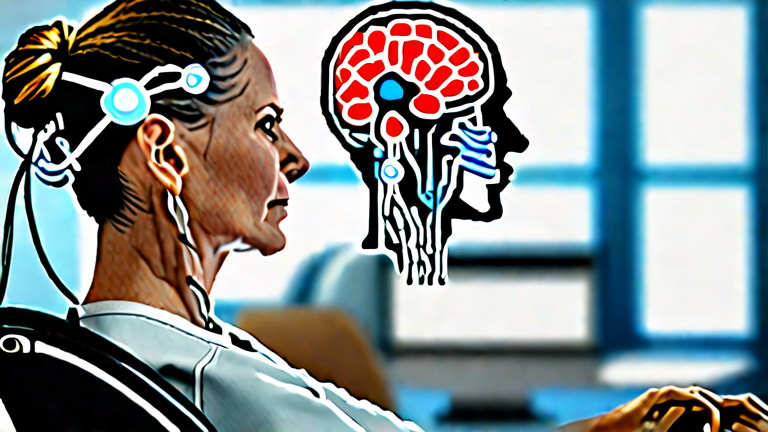
    TL;DR: Neural interfaces can now translate brain signals into digital commands, letting you control lights, thermostats, and appliances with focused thought. Non-invasive headsets and emerging implants make this possible today, but safe use depends on sleep, stress management, and realistic expectations.

    Imagine dimming your living room lights simply by thinking about it. That future is quietly arriving. Companies like Neuralink, Synchron, and Emotiv are developing brain-computer interfaces (BCIs) that decode neural activity into actionable signals. Non-invasive EEG headsets detect electrical patterns through the scalp, while implanted electrodes offer higher fidelity for people with paralysis. In 2023, a Stanford-led study showed that a brain implant could decode imagined handwriting at 90 characters per minute—proof that thought-to-command translation is maturing fast.

    If you want to dig deeper, check out our guide on Master Canva: Step-by-Step Social Media Design Tutorial.

    How It Works

    Your brain emits distinct electrical signatures when you imagine a specific action, such as “turn on the lamp.” Machine-learning algorithms learn your unique patterns and map them to smart-home protocols like Matter or Zigbee. Consumer devices, including the Emotiv MN8 and Neurable’s upcoming headphones, already pair with smart home apps to trigger simple commands.

    Science-Backed Lifestyle Tips

    BCI accuracy depends heavily on your physiology. Prioritize seven to nine hours of sleep; sleep deprivation reduces signal clarity by up to 30%. Practice 10 minutes of mindfulness daily to lower beta-wave noise. Stay hydrated—dehydration thickens the skull’s electrical resistance. Finally, train in short, consistent sessions; neuroplasticity strengthens with repetition, not marathon use.

    Safety and Realism

    Non-invasive BCIs are generally safe but can cause scalp irritation or fatigue. Implants carry surgical risks and are reserved for clinical need. Never use a BCI to control critical systems like locks or medical devices without fail-safes. Treat mind-control as an accessibility and convenience tool, not a replacement for physical switches.

    FAQ

    Q: Can I buy a mind-controlled smart home system today?
    A: Yes—consumer EEG headsets like Emotiv can trigger basic smart-home commands, though accuracy is lower than implants and requires calibration.

    Q: Are neural interfaces safe for daily use?
    A: Non-invasive headsets are safe for most people when used as directed, but they can cause skin irritation or mental fatigue; take breaks every 30 minutes.

    Q: Will BCIs replace voice assistants?
    A: Not soon. BCIs excel at silent, hands-free control but remain slower and less reliable than voice for complex tasks; expect hybrid use.

    Related Articles

  • **Neural Interfaces for Paralysis Patients Gain Momentum**

(58 characters)

    **Neural Interfaces for Paralysis Patients Gain Momentum** (58 characters)

    TL;DR: Neural interfaces for paralysis patients are advancing rapidly because they can bypass damaged spinal pathways and translate brain signals into movement or speech. This guide explains how to evaluate, prepare for, and participate in these emerging assistive technologies.

    1. Understand What a Neural Interface Does

    A neural interface records electrical activity from the brain or nerves and converts those signals into commands for external devices, such as robotic arms, computer cursors, or muscle stimulators. In paralysis patients, the goal is usually to restore communication, mobility, or independence. Ask your neurologist whether you are a candidate for invasive (implanted) or non-invasive (wearable) systems.

    If you want to dig deeper, check out our guide on Deepfakes vs. Identity: How Generative AI Challenges Legal R.

    2. Get a Specialist Evaluation

    Schedule a consultation with a neurorehabilitation team that includes a neurologist, neurosurgeon, physical therapist, and occupational therapist. They will assess your injury level, remaining motor function, skin condition, and cognitive health. Bring imaging records and a list of medications. Tip: ask specifically about clinical trials, because many neural interface options are still in research phases.

    3. Choose the Right Type of Interface

    Non-invasive options like EEG caps or functional near-infrared spectroscopy are safer and easier to try, but they offer lower signal precision. Invasive options like microelectrode arrays or epidural electrodes provide richer control but require surgery and long-term maintenance. Discuss risks, including infection, scarring, and device failure, with your care team.

    4. Prepare Physically and Cognitively

    Before implantation or training, build up your general strength, skin integrity, and attention span. Practice visualization exercises and simple brain-computer interface games if available. Tip: keep a symptom diary to track fatigue, spasms, and pain, since these can interfere with signal quality.

    5. Complete Calibration and Training

    After the device is fitted, you will spend weeks calibrating it. You will imagine specific movements while the system learns your neural patterns. Sessions may last 30 to 60 minutes, several times per week. Tip: consistency matters more than intensity. Short, daily practice often beats long, occasional sessions.

    6. Integrate the Interface Into Daily Life

    Work with an occupational therapist to link the interface to real tasks: sending emails, controlling a wheelchair, or grasping a cup. Set small, measurable goals. Tip: involve caregivers early so they can help with troubleshooting and device care.

    7. Monitor Safety and Maintenance

    Check the implant site or wearable sensors daily for redness, swelling, or discharge. Keep firmware updated and attend all follow-up appointments. Report sudden changes in signal quality or new neurological symptoms immediately.

    FAQ

    Q: Are neural interfaces safe for all paralysis patients?
    A: No. Eligibility depends on injury type, location, overall health, and device-specific criteria. Only a qualified medical team can determine whether the benefits outweigh the risks for you.

    Q: How long does it take to see results?
    A: Non-invasive systems may show basic control within days, while implanted systems often require weeks to months of calibration and training before reliable daily use.

    Q: Will insurance cover a neural interface?
    A: Coverage varies widely. Some devices are approved for specific conditions, while many are still experimental. Check with your insurer and ask about clinical trial funding or manufacturer assistance programs.

    Related Articles

  • Digital Wellness Apps See User Spike: Why They’re Trending Now

    TL;DR: Digital wellness apps are surging because post-pandemic travelers, remote workers, and culture-shifters want calm, focus, and balance delivered on the device they already carry. Demand is fueled by digital burnout, the mainstreaming of meditation, and apps that now blend travel, food, and personal-growth content into one daily ritual.

    A Ritual in Every Time Zone

    On a night train from Chiang Mai to Bangkok, Mira opens her phone—not to scroll, but to breathe. A five-minute guided session plays over the clatter of the tracks. She logs her mood, then checks a jet-lag plan built for her arrival time. This is digital wellness in 2025: less a detox from technology, more a travel companion that keeps the mind steady while the body crosses borders.

    If you want to dig deeper, check out our guide on Why the Dyson V15 Detect Is Worth the Premium Price.

    The numbers tell a similar story. Downloads of meditation, sleep, and focus apps have climbed sharply, and the fastest-growing category isn’t strict screen-time blockers—it’s “habit-stacking” tools that attach mindfulness to things people already do: morning coffee, a commute, a meal.

    From Fad to Framework

    Food culture plays a role too. Mindful-eating modules now walk users through slow, sensory meals, turning a bowl of ramen in Osaka or a market mango in Mexico City into a practice of attention. Personal-growth features—journaling prompts, gratitude logs, weekly reflections—borrow from traditions long valued in cultures across Asia and Latin America, repackaged for a global, mobile audience.

    What’s driving the spike? Three forces. First, burnout: remote workers report blurry boundaries between office and home, and apps promise small, structured pauses. Second, community: shared streaks and group challenges make wellness feel social, not solitary. Third, integration: instead of asking users to abandon their phones, these apps meet them there, folding calm into the same device that causes stress.

    Skeptics warn that a notification can’t replace a walk in the park or a long dinner with friends. Fair. But used lightly, digital wellness tools can act as a gentle nudge—a reminder to look up, taste slowly, and land softly, wherever the journey takes you.

    FAQ

    Q: Are digital wellness apps actually effective?
    A: Studies show modest but real benefits for stress and sleep, especially when used consistently for short daily sessions.

    Q: How do they connect to travel?
    A: Many now offer jet-lag plans, time-zone-adjusted reminders, and destination-based mindfulness or food rituals.

    Q: Can they replace therapy or medical care?
    A: No. They’re supportive tools, not substitutes for professional mental health treatment.

    Related Articles

  • 7 Simple Daily Habits for Better Health and Longevity

    TL;DR: The most effective habits for a longer, healthier life are consistent movement, quality sleep, a plant-forward diet, stress management, and strong social connections. Small daily choices compound over decades—start with one habit and build from there.

    1. Move Every Day—Even Briefly

    You don’t need a marathon. Research shows that just 20–30 minutes of brisk walking daily reduces risk of heart disease, diabetes, and premature death. Short “exercise snacks”—climbing stairs or walking after meals—also improve blood sugar control.

    If you want to dig deeper, check out our guide on Repair Culture Reshapes Fast Fashion Economics: New Data.

    2. Prioritize 7–9 Hours of Sleep

    Chronic sleep deprivation is linked to obesity, weakened immunity, and cognitive decline. Keep a consistent wake time, dim screens an hour before bed, and keep your bedroom cool and dark. Sleep is when your body repairs itself.

    3. Eat Mostly Plants

    Diets rich in vegetables, fruits, legumes, whole grains, and nuts are consistently tied to longer lifespans. Aim to fill half your plate with plants at each meal. Fiber feeds a healthy gut microbiome, which supports immunity and mood.

    4. Stay Hydrated

    Mild dehydration saps energy and concentration. Water needs vary, but a simple rule works: drink when thirsty, and keep a bottle visible as a reminder. Replacing sugary drinks with water alone can cut hundreds of calories daily.

    5. Manage Stress Actively

    Chronic stress raises cortisol, which harms the heart and brain over time. Five minutes of deep breathing, meditation, or journaling daily can lower blood pressure and anxiety. Find a ritual that fits your life and protect it.

    6. Nurture Social Connections

    Loneliness carries health risks comparable to smoking. Strong relationships are one of the strongest predictors of long life. Call a friend, join a club, or share meals regularly—connection is medicine.

    7. Don’t Smoke, and Limit Alcohol

    Not smoking is the single biggest longevity win available. For alcohol, less is better; recent evidence suggests no amount is truly “healthy.” Skip the nightly drink when you can.

    FAQ

    Q: Which habit gives the biggest return?
    A: If you smoke, quitting tops the list. Otherwise, consistent daily movement and quality sleep deliver the broadest benefits.

    Q: Can I start all seven at once?
    A: You can, but habit science suggests picking one or two and stacking new routines onto existing ones works better long-term.

    Q: How long before I see results?
    A: Energy and mood often improve within weeks; measurable disease-risk reductions accumulate over months and years of consistency.

    Related Articles