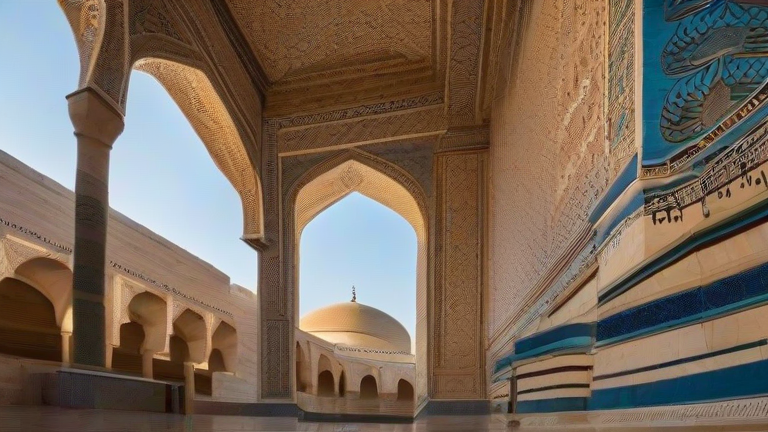
TL;DR: Create a stunning travel photo gallery by selecting your best shots from Jordan, Uzbekistan, and North Macedonia, then organizing them into cohesive albums based on theme or location. Use high-quality hosting and consistent editing styles to ensure a professional and engaging visual narrative for your audience.
Curating Your Masterpiece
Creating a compelling travel photo gallery requires more than just uploading random snapshots. It demands intentionality, curation, and a clear narrative arc. When you return from diverse destinations like the ancient ruins of Petra in Jordan, the turquoise domes of Samarkand in Uzbekistan, or the vibrant streets of Skopje in North Macedonia, you are likely overwhelmed by hundreds of images. The first step is rigorous selection. Do not settle for the first few hundred photos you take. Instead, wait a week, let your excitement settle, and then review your collection with a critical eye. Look for images that tell a story, evoke emotion, or showcase unique cultural details. Discard blurry shots, poorly lit scenes, or repetitive compositions. You want a gallery that feels curated, not cluttered.
If you want to dig deeper, check out our guide on Is E-Commerce a Viable Student Side Hustle? (No Experience N.
Organizing for Impact
Once you have selected your top images, organize them logically. A chronological order often works best for travel blogs, allowing readers to follow your journey day by day. However, thematic organization can also be powerful. Group photos by activity, such as food, architecture, or landscapes. For instance, create a specific album dedicated solely to the intricate tile work of Uzbekistan’s madrasas. This helps viewers appreciate the artistic nuances of each location. Ensure that each destination has its own distinct section within your main gallery. Use descriptive titles for each album, such as “Sunset Over the Jordanian Desert” or “Bustling Bazaars of Tashkent.” This improves user experience and helps with search engine optimization, making it easier for potential travelers to find the specific content they are seeking.
Editing and Consistency
Consistency is key to a professional-looking gallery. Apply a uniform editing style across all images. This might mean adjusting exposure, contrast, and color balance to match the mood of each destination. For Jordan, warm tones might enhance the desert landscape, while cooler tones could emphasize the historical grandeur of Uzbekistan’s architecture. Use editing software to fine-tune these aspects, ensuring that no single image looks out of place. Avoid over-editing; keep natural colors and authentic lighting to maintain credibility. Finally, optimize your image file sizes for web use to ensure fast loading times. A slow website can frustrate visitors and increase bounce rates, so balance quality with performance. By following these steps, you will create a visually stunning and engaging travel photo gallery that captivates your audience.
FAQ
Q: How many photos should I include in a single travel album?
A. Aim for 10 to 15 high-quality images per album to maintain viewer interest without overwhelming them.
Q: What is the best software for organizing travel photos?
A. Adobe Lightroom and Google Photos are excellent tools for organizing, editing, and sharing travel photography efficiently.
Q: Should I include captions for each photo?
A. Yes, captions provide context, share personal anecdotes, and improve SEO, making your gallery more informative and engaging.
Leave a Reply