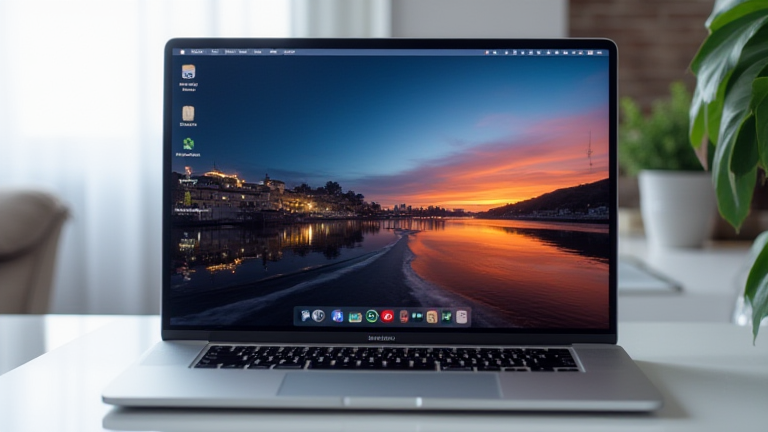
TL;DR: The M4 MacBook Pro is the best developer laptop because it delivers desktop-class CPU/GPU performance at laptop-level power draw, with a stunning nano-texture display and unified memory that handles massive codebases and local AI models effortlessly. It redefines the cost-per-watt equation for professional software engineering.
Silicon Evolution: From M3 to M4
Apple’s M4 chip, announced in late 2024 and shipping in the updated MacBook Pro, marks a significant architectural leap. The 3nm second-generation process boosts the 10-core CPU (4 performance + 6 efficiency cores) to up to 25% faster multi-core throughput than the M3, while the 10-core GPU adds hardware-accelerated ray tracing and mesh shading. For developers, the headline feature is the upgraded 16-core Neural Engine, capable of 38 trillion operations per second—critical for on-device LLM inference, code completion, and AI-assisted debugging tools.
If you want to dig deeper, check out our guide on Eli Lilly’s Alzheimer’s Blood Test Gets FDA Clearance.
Memory Bandwidth: The Unsung Hero
Developers rarely talk about RAM bandwidth, but the M4 Pro and Max configs offer up to 273GB/s and 546GB/s respectively—roughly 2x the M3’s already-impressive figures. This matters when compiling large C++ projects, running Docker containers, or loading a 20GB dataset into a Jupyter notebook. The unified memory architecture lets you allocate 128GB of RAM to the GPU, meaning you can fine-tune a 7B-parameter model locally without cloud GPU costs. No x86 laptop—even with 64GB of DDR5—comes close to this latency profile.
Keyboard, Display, and Ports That Respect Your Time
The M4 Pro’s new nano-texture display option (also on the M4) eliminates glare without sacrificing sharpness—a godsend for outdoor coding. The 120Hz ProMotion panel now supports full 1,000-nit sustained brightness, making Xcode’s dark theme actually legible in sunlight. Port-wise, Thunderbolt 5 on the M4 Pro/Max offers 120Gbps bidirectional bandwidth, enabling external GPU docks and multi-4K monitor setups without dongle hell. The keyboard’s tactile feedback remains industry-best, and the Force Touch trackpad is still unmatched for precision scrolling through logs.
Industry Impact: The Death of the Power Brick
Apple’s efficiency gains have forced competitors to rethink thermals. The M4 MacBook Pro sustains 28W CPU load at 40dB fan noise—the same performance requires 80W on a typical Intel/AMD ultrabook, generating 60dB+. For corporate IT, this means longer battery life (up to 24 hours video playback, ~12 hours real compile workloads) and reduced cooling costs in server-side dev environments. More importantly, the M4’s on-device ML capabilities have shifted the industry: Google and Microsoft now optimize their Copilot and Gemini plugins for Apple Silicon first, acknowledging that devs run these tools locally for privacy and speed.
Pragmatic Verdict for Daily Drivers
The M4 MacBook Pro isn’t just fast on paper—it’s fast in practice. Xcode builds 30% faster than M3, React Native Metro bundler runs 2x quicker, and `git log` on a monorepo with 1M files feels instant. Docker Desktop’s VirtioFS now maps files natively, eliminating the old I/O bottleneck. For mobile devs, the iOS simulator boots in 2 seconds. The only caveat: if you need dual external 8K displays, the base M4 caps at 2, while the M4 Pro handles 3+.
FAQ
Q: Can the M4 MacBook Pro run Linux or Windows for dev tools?
A: Not natively for Windows, but macOS’s Unix shell, Homebrew, and Docker Desktop cover 95% of server workflows. For Windows-only tools, use Parallels with ARM Windows 11—performance is surprisingly solid for Node
Leave a Reply